Next.js with ShadCN UI Textarea Example

In this tutorial, we'll show you how to create a textarea component in a Next.js application using the ShadCN UI library.
Before using a textarea in Next.js 13 with ShadCN UI, you need to install it with the command: npx shadcn-ui add textarea.
npx shadcn-ui@latest add textarea
#or
npx shadcn-ui@latest add
1. Create a simple textarea in Next.js 13 using the ShadCN UI Textarea component.
import { Textarea } from "@/components/ui/textarea"

export default function TextareaDemo() {
  return <Textarea placeholder="Type your message here." />
}

2. Next.js with ShadCN UI textarea disabled.
import { Textarea } from "@/components/ui/textarea"

export default function TextareaDemo() {
  return <Textarea placeholder="Type your message here." disabled />
}
3. Next.js with ShadCN UI textarea with a label.
import { Label } from "@/components/ui/label"
import { Textarea } from "@/components/ui/textarea"

export default function TextareaWithLabel() {
  return (
    <div className="grid w-full gap-1.5">
      <Label htmlFor="message">Your message</Label>
      <Textarea placeholder="Type your message here." id="message" />
    </div>
  )
}

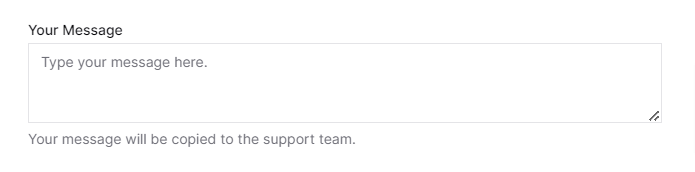
4. Next.js with ShadCN UI textarea with a label and text.
import { Label } from "@/components/ui/label"
import { Textarea } from "@/components/ui/textarea"

export default function TextareaWithText() {
  return (
    <div className="grid w-full gap-1.5">
      <Label htmlFor="message-2">Your Message</Label>
      <Textarea placeholder="Type your message here." id="message-2" />
      <p className="text-sm text-muted-foreground">
        Your message will be copied to the support team.
      </p>
    </div>
  )
}
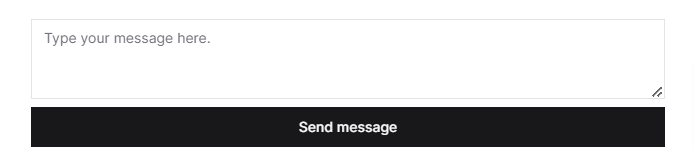
5. Next.js with ShadCN UI textarea with a button.
import { Button } from "@/components/ui/button"
import { Textarea } from "@/components/ui/textarea"

export default function TextareaWithButton() {
  return (
    <div className="grid w-full gap-2">
      <Textarea placeholder="Type your message here." />
      <Button>Send message</Button>
    </div>
  )
}
👉 How to Add Drag-and-Drop Image Upload with Dropzone in React Using Tailwind CSS
👉 How to Use Toastify in React with Tailwind CSS
👉 NextJS Alert Message Tutorial with Tailwind CSS
👉 Create a Responsive Navbar React Tailwind CSS TypeScript
👉 How Use Headless UI in React + Typescript + Tailwind
👉 React with Tailwind CSS Skeleton Loader Example
👉 React TypeScript Tailwind CSS Popup Modal Tutorial
👉 React Tailwind CSS Forgot Password Example
👉 How to Use DataTables in React with Tailwind CSS


